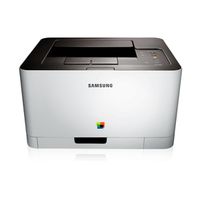
I can't find driver for my Samsung printer that was functioning on Catalina
HELP! Samsung CLP-365W printer and airprint | Synology Community
Samsung CLP-365W - Apple Community
iMAC, Samsung, Drivers | MacRumors Forums
Videos
I can't find the driver for my printer on Big Sur. The printer was fine in Catalina and the model is a clp-365w (clp-360 series). I don't know what to do and I need for the university
Hi :)
Just dumping my experience here as I dont know which place would be best for this, please point me to the right place if nescessary.
I just got a CLX-3185 with fresh toners for cheap, so I wanted to get it up and running with my M1 Mac Mini, which turned out to be more work than I expected. You will need the terminal for this.
0. Install Rosetta by typing softwareupdate --install-rosetta --agree-to-license in a terminal if you are on Apple Silicon and haven’t installed it yet
-
Get the printer drivers from Apple by searching for them on the Apple support site, i.e. https://support.apple.com/kb/DL905 for the Samsung drivers.
-
Open the downloaded .dmg file and open a terminal using Spotlight or /Applications/Utilities
-
Enter
mkdir drivers; cd drivers; xar -xvf,drag the .pkg in the .dmg into the terminal window and press enter. Enteropen driversto open the freshly created directory. -
Right-click the SamsungPrinterDrivers.pkg and click Open Package Contents
-
Right click the file called Payload and open with archive utility; a Library folder should appear.
-
Open your system drive in another Finder window and drag the Library folder from the other window to this one. You should be getting asked if you want to combine the Library folders.
-
Try to add the printer normally, System Settings should detect it in the configuration dialog.
I'm on macOS 14 (Sonoma), it should work with older versions as well.
Background: The .pkg files available from Apple should do the job we are doing here manually, but they are too old to automatically work. Apple doesnt include these drivers anymore, as they are obsolete by Apples guidelines as well.
Again, please tell me if I should change something, I do not intend to infringe any guidelines.
I hope this helps someone :)
Edit: You may also have a look at u/Aldonio‘s comment for a bash script doing most of the work if you‘re comfortable with that :)
Dumping the printer names here so the search engines may point people needing this here:
C410 C460 CLP-300 CLP-310 CLP-320 CLP-350 CLP-360 CLP-410 CLP-610 CLP-620 CLP-660 CLP-670 CLP-680 CLP-770 CLP-775 CLX-216x CLX-3170 CLX-3180 CLX-3180 CLX-3300 CLX-4190 CLX-6200 CLX-6220 CLX-6240 CLX-6250 CLX-6260 CLX-8380 CLX-8385 CLX-8385X CLX-8540 CLX-8540X CLX-8640 CLX-9250 CLX-92x1 M2020 M2070 M262x M267x M332x M337x MFP ML-1630 ML-1630W ML-1640 ML-1660 ML-1860 ML-1865W ML-191x ML-2160 ML-2240 ML-2245 ML-2525W ML-2540 ML-2580 ML-2850 ML-2855 ML-2950 ML-331x ML-3470 ML-371x ML-4050 ML-451x ML-4550 ML-551x SCX-3200 SCX-3400 SCX-4300 SCX-4500 SCX-4500W SCX-4600 SCX-4623 SCX-4623FW SCX-4650 SCX-470x SCX-472x SCX-483x SCX-4x24 SCX-4x28 SCX-5635 SCX-5835_5935 SCX-5835_5935X SCX-6545X SCX-6x22 SCX-6x45 SCX-6x55 SCX-6x55X SCX-8030 SCX-8123 SF-76